Annual Sale!Get 30% offClaim Now→

Butterfly Portrait Result will appear here
Result Time2-3 min
Butterfly Portrait Effect
Transform your photo into an elegant, cinematic butterfly landing video
Butterfly Portrait Effect Examples
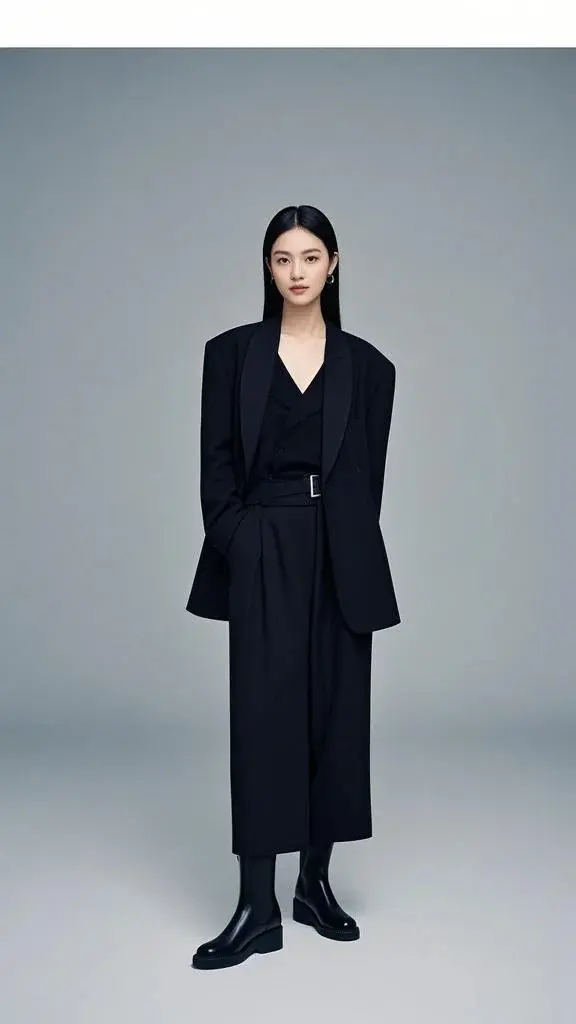
Original Image
Generated Video
Butterfly Portrait Effect FAQ
Have a different question and can't find the answer you're looking for? Reach out to our support team by sending us an email and we'll get back to you as soon as we can.
What is the Butterfly Portrait effect?
The Butterfly Portrait effect is a refined AI-generated animation that brings your portrait to life with soft, cinematic motion and fluttering butterflies. Flux1 AI analyzes your facial features, lighting, and composition, then adds lifelike butterflies that drift into the frame and land gently on your hand, hair, or shoulder. The final result is a dreamy, ethereal video that feels like a moving art portrait.
How does the Butterfly Portrait effect work?
Simply upload a clear single-person portrait. Flux1 AI reconstructs depth, lighting, and perspective, then animates butterflies that interact naturally with your pose. Their wings flutter gently as they hover or land based on the visible surfaces in your image. The system ensures your facial identity remains unchanged while enhancing the atmosphere with subtle particle effects and graceful movement.
What type of photos produce the best results?
For optimal output, upload a well-lit portrait showing your face clearly. Front-facing or slightly angled shots work best. The effect performs especially well when your hands, shoulders, or upper body are visible, as these offer natural landing points for butterflies. Avoid dark, blurry, low-resolution images or extreme selfies, as these can reduce the clarity of the final animation.
Can butterflies land on my hands or face?
Yes—if your hand, shoulder, or hair is visible, Flux1 AI may position butterflies to land gracefully on these areas. If no suitable landing surfaces appear in the photo, butterflies will instead hover around you in a soft, elegant motion. The system adapts to your pose so the animation feels natural and well-integrated.
Does this effect alter my facial appearance?
No. The Butterfly Portrait effect preserves your natural facial identity. Flux1 AI does not modify your features or apply beautification filters. Enhancements occur only in the scene—aesthetic lighting, soft particles, and butterfly movement—while your face remains fully authentic and recognizable.
Are there any effect limitations?
A few edge cases may occur. Since this effect supports only single-person portraits, group photos are not recommended. In rare instances, small visual artifacts—such as unintended floating debris—may appear due to image complexity. There is also a small chance of thin white borders forming around the video frame when the input image has extreme cropping or high-contrast edges. These are uncommon and typically resolved by using a clear, uncropped portrait.
Why are only single-person photos supported?
The Butterfly Portrait effect relies on precise pose detection and depth reconstruction to animate butterfly motion realistically. Multi-person images introduce overlapping limbs and faces, making landing prediction less stable. Limiting this effect to single-person portraits ensures the most natural, visually polished animation.
Is my photo safe when processed with Flux1 AI?
Yes. Your image is encrypted, processed securely, and used only to generate your Butterfly Portrait video. Flux1 AI does not store, reuse, or share your photos, and no human ever views your uploads. All data is deleted automatically after processing to ensure complete privacy protection.